Customizing your invoices still works, but the cleaning invoice template has moved from Word and QuickBooks files into invoicing and scheduling software. Today's invoices add pay-now links, automatic reminders and recurring billing, while Derek's branding and loyalty reminders still win repeat business.
The Original Tip Does It Still Work? Then vs. Now What to Include Invoice Template Marketing Touch Templates vs. Software Quick Summary FAQ
Editor's note: This article first appeared in July 2013 as Tip #5 in CBT's Guerrilla Marketing series by CBT co-founder Derek Christian. We've kept the original tip below and added an October 2026 update on cleaning invoices today.
The Original 2013 Tip: Customize Your Receipts and Invoices
Personalize cold templates for receipts and invoices to remind customers of your specials and referral programs
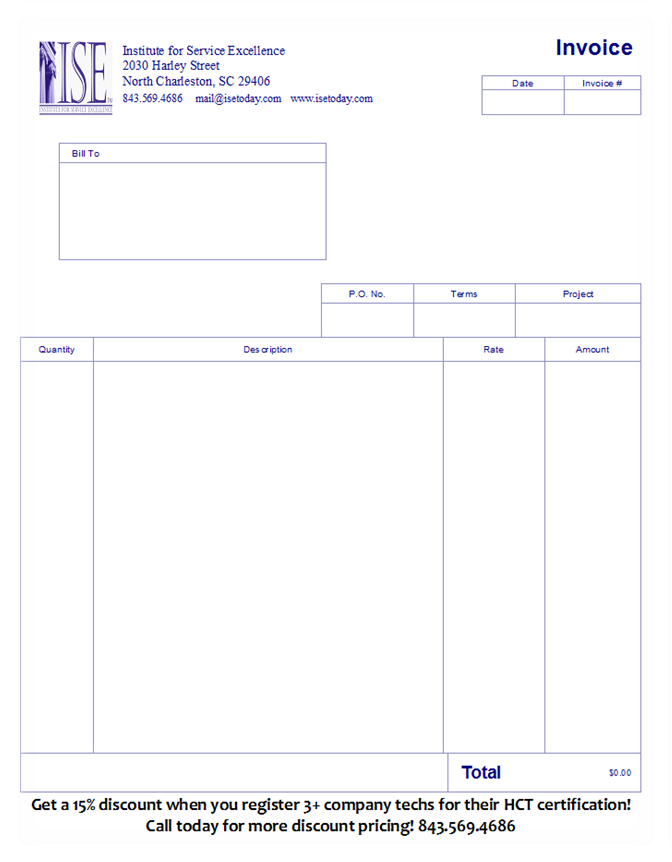
MS Office and Quickbooks have come close to standardizing any invoice you would create to collect on monies owed or receipt you would send to confirm a payment. But you don't have to keep them that way!
Whether you use a common template from your word processing software (such as MS Office or Corel WordPerfect) or you let your accounting package auto-generate invoices and receipts, look for the settings to customize these. Add logos, color, and even reminders of special discount programs or customer loyalty programs to keep opportunities to save money or earn free stuff in front of your customers.
Remember, once someone has bought from you once, the chances of them buying from you again go up dramatically (as opposed to finding a new customer)...assuming you've delivered the outstanding service we know you provide!
Does Customizing Your Invoices Still Work?
It does, because an invoice is one of the few messages nearly every client opens. Your logo and a short referral or loyalty reminder still earn their place, and CBT's guide to improving client retention at a house cleaning company explains why long-term clients bring steady income and referrals.
What has changed is where the invoice lives. In 2013, owners customized a word processing file or a QuickBooks form. Today most cleaning companies invoice from software with payment links, reminders and recurring billing. Our verdict: the tactic has evolved.
Then vs. Now: How Cleaning Invoices Have Changed
How invoices are built, sent and paid has changed.
Customized Invoices in 2013 vs. Today
| Factor | 2013 | Today |
|---|---|---|
| Built in | MS Office or QuickBooks templates | Invoicing or scheduling software |
| Sent by | Mail or email attachment | Email or text with a pay-now link |
| Paid by | Check or cash | Card, bank transfer or card on file |
| Recurring clients | A new invoice every visit | Billed automatically on a schedule |
For recurring clients, Square's help center explains that a recurring invoice series can charge a card on file automatically after a one-time consent. Our overview of mobile payment processing options for cleaning businesses covers taking payments in the field.
What to Include on a Cleaning Invoice
A cleaning invoice should show what was cleaned, what it cost, when payment is due and how to pay.
Cleaning Invoice Fields and Why They Matter
| Field | What to Include | Why It Matters |
|---|---|---|
| Your business | Logo, name, phone and website | Makes rebooking easy |
| Client | Name and service address | Avoids billing mix-ups |
| Invoice number and date | A unique number and issue date | Simplifies recordkeeping |
| Service details | Service date, type of cleaning and add-ons | Shows what the client paid for |
| Rates and discounts | Price, any discount and its reason | Prevents disputes over the total |
| Taxes | Sales tax where your state requires it | Keeps you compliant |
| Total and due date | Amount due and a specific due date | Sets a clear deadline |
| Acceptable payment methods | Pay-now link, card or check | Removes reasons to delay |
Sales tax rules vary by state. The Texas Comptroller, for example, says maid, janitorial and custodial services should be collecting sales and use tax. Keep a copy of every invoice, since the IRS says records supporting income should generally be kept for three years, and check your state's rules with your accountant.
Cleaning Invoice Template You Can Copy
Copy this layout into Word, Google Docs or your invoicing software and replace the bracketed entries. This cleaning invoice template works as a house cleaning invoice or for commercial accounts.
Sample House Cleaning Invoice Layout
| Section | Sample Entry |
|---|---|
| From | [Logo] · [Business name] · [Phone] · [Website] |
| Bill to | [Client name] · [Service address] |
| Invoice | [#1042] · [Issue date] |
| Service | [Service date] · Biweekly cleaning · [Price] |
| Add-ons and discounts | [Inside oven] · [Loyalty discount] |
| Total due | [Total plus any sales tax] · Due by [date] |
| Pay by | [Pay-now link] · [Card on file] · [Check] |
| Note | Thank you! Refer a friend and you'll both get [reward]. |
Jobber suggests sending a cleaning invoice within 48 hours of the job and expecting payment within about two weeks. For a ready-made free invoice, Microsoft offers free Excel invoice templates, including two service invoice designs.
Turn Every Invoice Into a Marketing Touch
Software now adds the same message to every invoice automatically, so use one message at a time and rotate it.
Referral Reminders
State what the client and the friend each receive and how to claim it, then track redemptions, as our updated tip on building a referral program for a cleaning business explains.
Review Links
A paid invoice is a natural moment to ask for a review. Google suggests asking customers to visit a Google link or scan a QR code, and either fits in an invoice footer.
Next-Booking Prompts
For one-time and move-out clients, offer recurring service or a seasonal add-on. If you invoice by text, keep the prompt short and branded, as our updated tip on text message signatures and SMS marketing recommends.
Templates vs. Invoicing Software
A free template is enough for a new business with a handful of clients. Invoicing software costs a monthly fee but pays off once you have recurring routes, since it handles reminders, online payments and recurring billing. Either way, set your logo, payment terms and footer message once, as Derek suggested in 2013.
Quick Summary
- A cleaning invoice template still works as a marketing tool when you add your branding and a short offer.
- Every cleaning invoice needs service details, a due date, acceptable payment methods and any required sales tax.
- Invoicing software adds pay-now links, automatic reminders and recurring billing.
- Rotate referral, review and rebooking prompts so clients keep reading.
Frequently Asked Questions
Start with your business details and the client's name and service address, then add a unique invoice number and the issue date. List each service with its date and price, apply any discounts and sales tax, and finish with the total, a due date and your acceptable payment methods. A short thank-you note or referral offer at the bottom turns the invoice into a marketing touch.
A house cleaning invoice should include your contact details, the client's details, an invoice number, the service date and a description of what was cleaned. It also needs the rate, any add-ons or discounts, sales tax where your state requires it, the total due, a due date and the ways a client can pay.
Yes, Microsoft offers free Excel invoice templates that include service invoice designs, and you can copy the field-by-field layout in this article into Word or Google Docs. Once you bill recurring clients every week or two, invoicing software usually saves more time than a template.
Send each invoice as soon as the job is done, ideally within 48 hours, and set a due date about two weeks out. For recurring clients, many owners switch to recurring invoices that charge a card on file automatically after the client consents.
Yes, as long as it's short and specific. One line stating what the client and the friend each receive, and how to claim it, keeps the offer in front of your happiest clients. Rotate it with review links and rebooking prompts so clients keep reading.
Recommended Reading
We've rounded up a few related posts you might like.
Leading the list is Accounting Tips and Advice for a Cleaning Business, that unpacks bookkeeping setup, a chart of accounts, key financial metrics and common tax deductions for cleaning companies.
It's also worth reading Do I NEED Scheduling Software?, which looks at how one owner outgrew paper planners and digital calendars, and what to test during free software trials.
Along the same lines, check out Why Are Online Reviews Essential & How to Get Them, diving into why Google and Yelp reviews shape a cleaning company's reputation and how automated review prompts help.
Last but not least, Can a Cleaning Business Make You Rich?, diving into typical cleaning business profits by company size, realistic profit margins and the pricing habits that separate high earners.